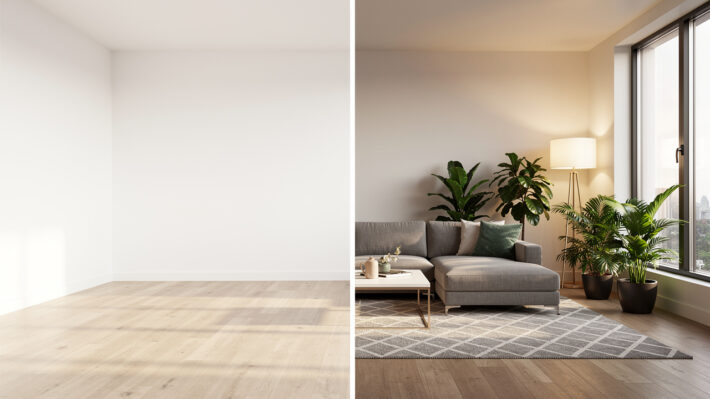

Virtual Home Staging: AI-Powered Listing Photos

Introduction
The first showing now happens on a phone screen, not at the front door. With most buyers starting online, listing photos decide in a split second whether a property earns a click or gets skipped. When those photos show empty, dark, or dated rooms, even strong listings can get ignored.
That is where virtual home staging comes in. Instead of hauling furniture, hiring movers, and juggling schedules, photos of bare or cluttered rooms are digitally furnished and styled. Buyers see warm living rooms, inviting bedrooms, and practical home offices, not cold boxes. The goal is the same as traditional staging, but all the work happens inside the image.
AI pushes virtual home staging even further. Turnaround drops from days to minutes, revisions are instant, and no one needs design software skills. Platforms such as VizCloud give real estate pros, architects, interior designers, and small firms a fast way to turn sketches, models, or plain photos into photorealistic, client‑ready visuals.
By the end of this article, you will see why virtual home staging has become a standard part of serious listing marketing, how AI staging works step by step, how it compares with physical staging, and what to look for in a staging platform. VizCloud will serve as a concrete example of how to put these ideas to work on real projects.
Key Takeaways
Key decision‑makers often want the bottom line before diving into details. This quick overview highlights the main numbers and ideas from the rest of the article. It can also guide talks with sellers, brokers, or design clients about why virtual home staging deserves a place in the marketing budget.
Virtually staged homes often leave the market faster, with studies pointing to time on market dropping by as much as 36%. That means lower carrying costs and fewer price cuts, plus smoother negotiations when buyers already feel attached to what they saw online.
Strong staging supports better pricing, with reports showing sale or rental prices up to 22% higher compared with similar unstaged listings. When photos present a clear lifestyle, buyers feel more confident about the asking price.
Modern AI staging platforms produce photorealistic rooms in minutes instead of days. There is no designer queue to wait on and no long back‑and‑forth over small edits, which helps when listings need to hit the market quickly.
Tools such as VizCloud are built so that no design software background is required. The workflow is simple enough for busy agents and small design teams, yet detailed enough for architects and interior designers who care deeply about visual quality.
MLS compliance still matters. Every altered photo needs a clear “Virtually Staged” label, and edits must not hide or change structural elements. The best tools make it easy to follow those rules while still producing standout visuals.
Why Virtual Home Staging Is Changing Real Estate Marketing

Online search has turned listing photos into the real first showing. Buyers scroll through portals like Zillow, Redfin, and Realtor.com long before they talk with an agent. When photos show empty rooms, buyers struggle to judge scale, layout, and potential, so they move on to the next property without a second look.
Virtual home staging closes that gap between a blank shell and a lived‑in home. By placing realistic furniture, lighting, and decor into photos, it helps prospects picture where a sofa might sit, how a dining table could fit, or whether a spare room works as an office. That emotional connection keeps them on the page longer and makes a showing more likely.
As many staging pros like to say:
“You are not just selling square footage; you are selling a story buyers can see themselves in.”
The data lines up with that idea:
Roughly 83% of buyer’s agents say staging helps buyers imagine a property as their future home.
Listings with staged photos can sell up to 36% faster than those without staging.
Sellers often secure up to 22% higher sale or rental prices when photos show the property’s potential instead of leaving everything to the imagination.
Online performance tells a similar story. Well‑executed virtual staging can boost listing traffic by as much as 72% on major portals, and that extra attention can lead to about 44% more qualified inquiries. That means fewer casual calls and more serious buyers who already like what they see.
Earlier forms of virtual staging depended on human designers working image by image, which meant higher costs, longer waits, and limited revisions. AI changes this pattern. Platforms such as VizCloud use trained models to read the room’s layout and lighting, then generate a full design in minutes. Agent Payton Stiewe of Engel & Völkers San Francisco has called this speed‑plus‑value combination a smart, strategic move in a competitive market. Virtual home staging is no longer a nice extra; it has become a core part of how listings come to life online.
AI Vs. Traditional Staging – A Side-By-Side Comparison
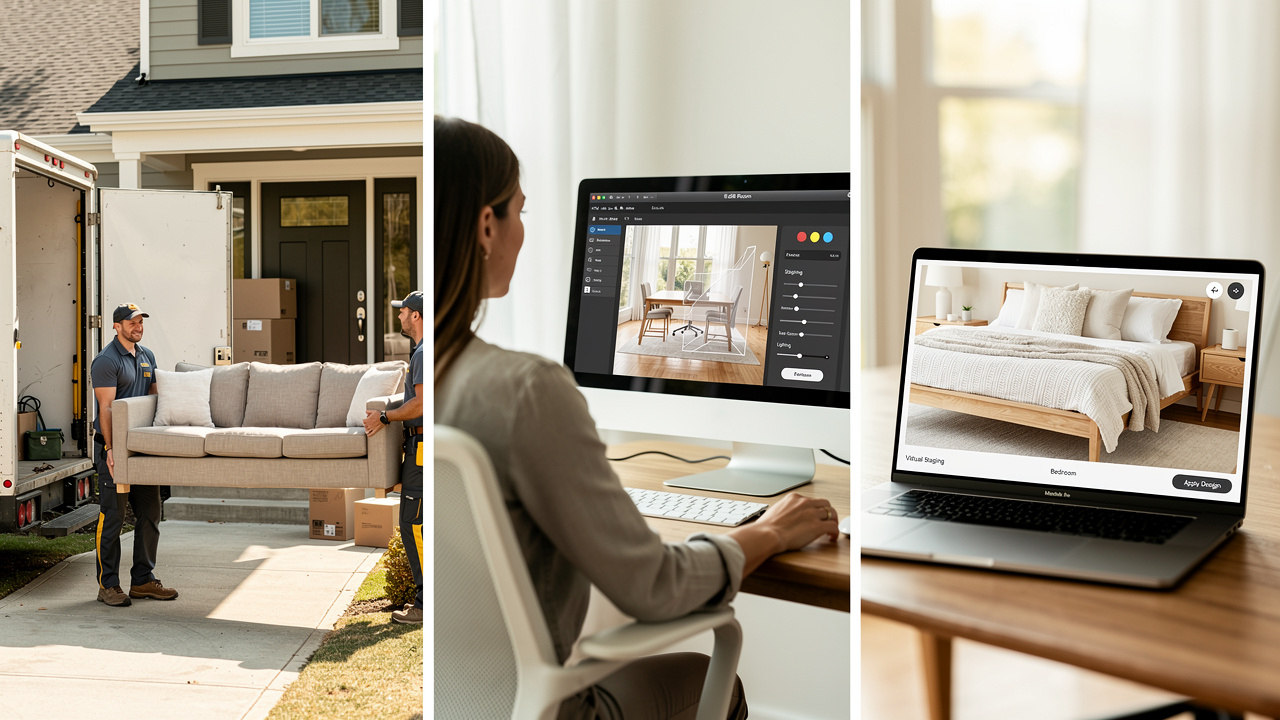
Many professionals still rely on physical staging or send photos out to traditional virtual staging vendors. Both methods can work, but they bring limits in speed, cost, and how easily a design can change. Comparing them directly with AI‑powered virtual home staging makes the trade‑offs clear.
Here is how the main approaches stack up.
| Aspect | Physical Staging | Traditional Virtual Staging | AI-Powered Virtual Staging (For Example VizCloud) |
|---|---|---|---|
| Turnaround Time | Planning, furniture delivery, setup, and photography can take many days or even weeks. | Designers often need several days to return finished images. | Images are generated in minutes, so listings can go live much sooner. |
| Cost | Highest cost due to furniture rental, movers, and design fees on every project. | Medium cost, usually charged per image with extra fees for edits. | Clear, affordable pricing with per‑image or plan options that fit most budgets. |
| Revisions | Hard to change without new deliveries and photo shoots. | Limited, slow revisions that may increase the bill. | Fast, repeated revisions so teams can explore as many looks as they like. |
| Ease Of Use | Requires coordination across stagers, movers, and photographers. | Requires writing detailed instructions for designers on each order. | Simple upload and style selection, with no design software skills needed. |
| Flexibility | Once furniture is in place, style changes are rare and costly. | New styles often mean a fresh order and more waiting. | Multiple styles can be tested on the same photo in a short session. |
A few points stand out from this comparison. AI staging removes the need for physical furniture, warehouse storage, and moving crews, yet still delivers believable results. That alone can save thousands of dollars over a year for active agents and design firms.
VizCloud goes further by keeping the interface friendly for non‑technical users while still serving architects and designers who care about detail. Because revisions are quick and predictable in cost, there is little reason to accept a “good enough” image. Teams can test modern, farmhouse, or minimalist looks until one matches the target buyer.
Most important, the lower and more predictable cost of AI‑driven virtual home staging means it can be used on more listings, not just luxury properties. Strong visuals become a standard part of the marketing process instead of an occasional upgrade.
How AI-Powered Virtual Staging Works In A Step-By-Step Workflow
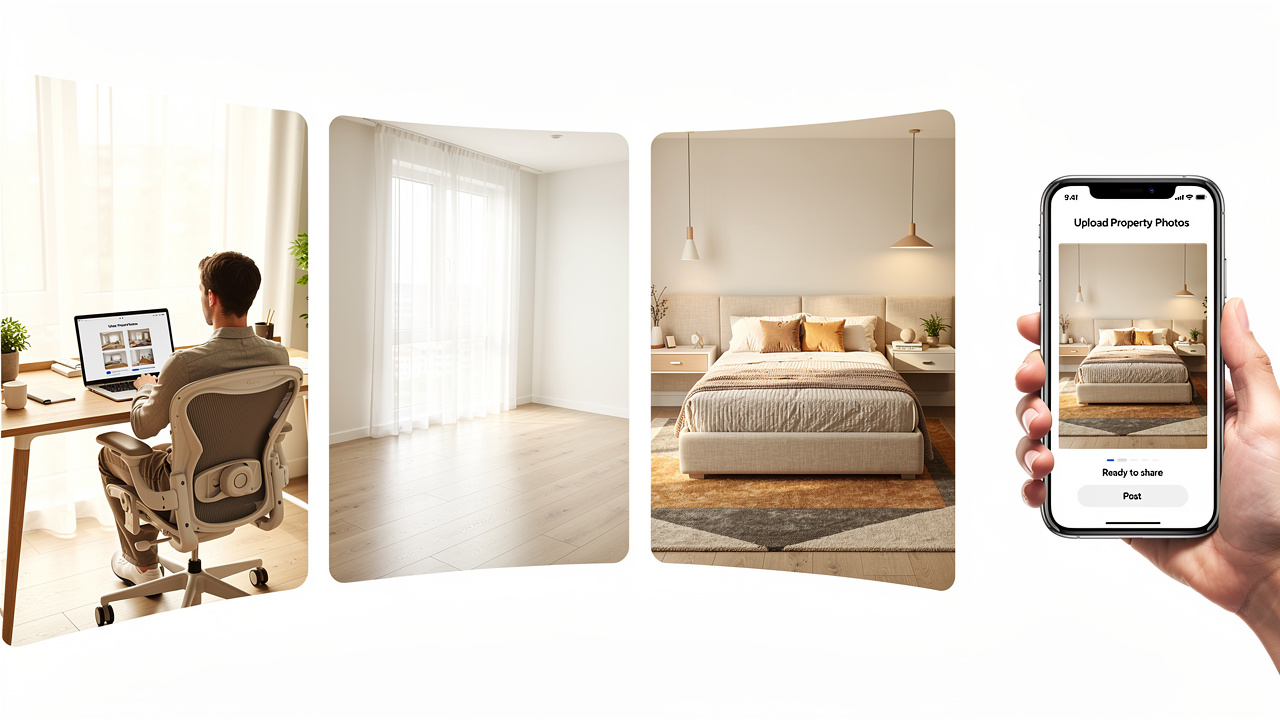
For many professionals, AI can sound technical, but the actual process of AI‑powered virtual home staging is straightforward. With VizCloud, an entire set of listing photos can go from empty or outdated to fully staged in a single work session.
Here is how a typical project flows from raw photo to listing‑ready visual.
Upload Your Property Photos
Sign in to VizCloud and upload the photos you want to stage. Images from a phone, DSLR, or exported 3D views all work. Standard two‑dimensional photos are supported, along with 360‑degree panoramas for virtual tours. The system accepts both vacant rooms and spaces that already have furniture.Remove Existing Furniture With One Click
If a room is cluttered or filled with dated pieces, VizCloud’s AI decluttering tool can clear the scene. The system detects sofas, tables, chairs, and small items, then removes them while keeping walls, windows, and flooring intact. This step turns a lived‑in space into a neutral blank slate without asking the seller to move a single box, and the structural layout stays honest for MLS purposes.Choose A Design Style And Generate The Staging
Next, pick from curated styles such as Modern, Scandinavian, Industrial, or Farmhouse. VizCloud reads the room’s proportions, ceiling height, windows, and light to place furniture in a natural way. Within minutes, the platform produces a photorealistic design that looks as if the room were actually staged and photographed.Refine The Design Until It Feels Right
If the first result is not perfect, it is easy to keep going. With a few clicks, you can generate new versions, try different styles, or nudge furniture placement. Intuitive editing tools make it simple to fine‑tune details without touching any complex software, so teams can spend their time getting each key space just right.Download And Use Across Every Channel
When the images look ready, download high‑resolution files suitable for the MLS, broker sites, social media, and printed flyers. The same visuals also work well in presentations to planning boards, builders, or design clients. In a short window, a set of plain photos turns into a full suite of marketing visuals through AI‑powered virtual home staging, all without a single truck in the driveway.
How To Choose The Right AI Virtual Staging Tool

With more AI tools on the market, picking the right one for virtual home staging can feel confusing. The goal is not just to add furniture, but to support a smooth workflow from first upload through final listing while respecting MLS rules and client expectations.
Several practical checkpoints make the choice clearer:
Output Quality
Start by examining sample projects from each platform. Furniture should look solid and correctly scaled, not flat or cartoonish. Lighting and shadows need to feel natural, even when the original photo was less than ideal. VizCloud focuses heavily on photorealism so that buyers and clients are not distracted by obvious digital artifacts.Ease Of Use
A powerful tool that requires a long training course will not help a busy agent or small firm. Look for a clean interface where the steps are obvious and where a new user can complete their first staged image in one sitting. VizCloud is designed so that uploading, styling, and downloading follow a clear, guided flow.Comprehensive Feature Set
Strong virtual home staging is more than dropping furniture into a frame. The platform should handle decluttering, interior and exterior views, multi‑angle consistency, and support for 3D or 360‑degree images. VizCloud’s suite covers interior, exterior, staging, style, and edit tools inside one account.Flexible Revisions
Creative work rarely lands perfectly on the first try. Avoid systems that charge each time you want to tweak an image. VizCloud allows repeated regenerations and edits so that teams can reach a final look they feel proud to share with clients and buyers.Transparent, Affordable Pricing
Costs should be clear before a project starts, without surprise charges for basic features or edits. This matters both for solo agents tracking their own expenses and for firms that need to budget across many listings. VizCloud offers straightforward plans that keep per‑image costs far below physical staging.MLS Compliance Support
Any tool used for virtual home staging must make it easy to stay aligned with Article 12 of the NAR Code of Ethics. That article states:“Realtors shall be honest and truthful in their real estate communications and shall present a true picture in their advertising, marketing, and other representations.”
— National Association of Realtors, Code of Ethics, Article 12In practice, that means clear labels on staged images and tools that avoid altering structural elements. VizCloud supports this approach so that marketing stays effective and honest at the same time.
Conclusion

Strong listing photos now matter as much as pricing and location. When empty or tired rooms appear online, buyers swipe past, no matter how good the floor plan might be. Virtual home staging gives those same rooms a clear story and shows how the space can work for real people.
AI‑powered tools such as VizCloud make this process fast, affordable, and repeatable for agents, architects, interior designers, and small firms. With faster sales, higher prices, and more qualified inquiries on the line, the case for adopting virtual home staging is hard to ignore. The next time a vacant or dated listing appears in your pipeline, try running it through VizCloud and see how quickly it becomes a compelling, client‑ready showcase.
FAQs
Is Virtual Home Staging Allowed On The MLS?
Yes, virtual home staging is allowed when used honestly. The NAR Code of Ethics requires that every altered photo carry a clear “Virtually Staged” label so buyers know they are viewing a styled image. Structural features such as walls, windows, and permanent fixtures should never be removed or hidden.
How Much Does AI Virtual Home Staging Cost Compared With Traditional Staging?
Physical staging often runs from hundreds to many thousands of dollars per listing once furniture, movers, design fees, and photography are added. AI virtual home staging with VizCloud usually costs a small share of that price. Because revisions do not add new fees, the overall budget stays under control even on complex projects.
Do I Need Design Skills To Use AI Virtual Staging Tools?
No design background is required to start with AI‑based virtual home staging on VizCloud. The platform guides users through uploading photos, choosing styles, and downloading finished images with simple prompts. Experienced designers still gain value, since they can move from rough concepts or models to polished visuals without spending hours on manual rendering.