

Best Free Landscape Design App Options for 2026
Introduction
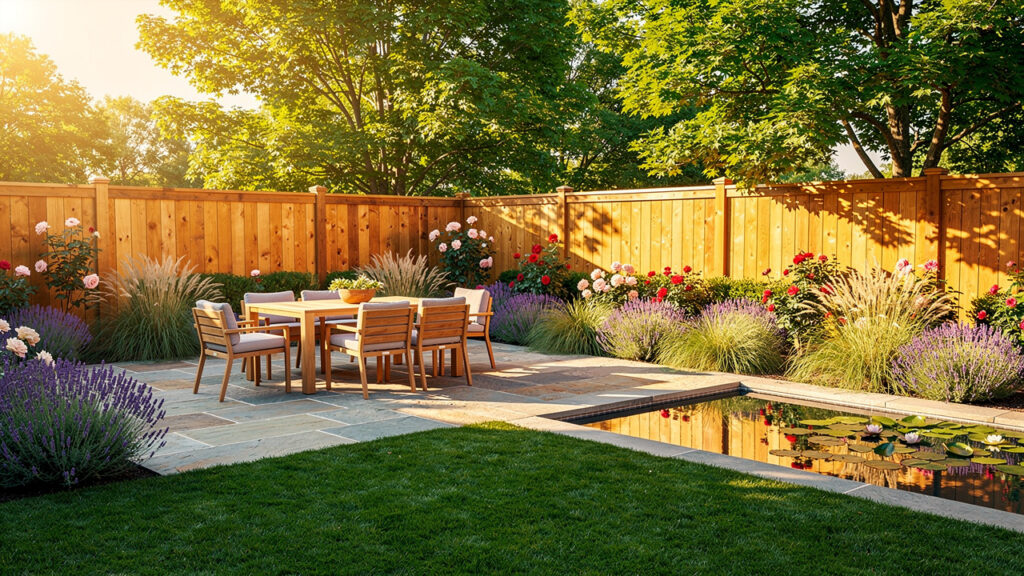
Planning a yard from flat drawings or rough sketches often feels like guessing. Even with a free yard design app, early concepts can look basic and hard for clients to trust. That gap between idea and clear outdoor vision slows every project.
Pressure grows when architects, BCIN designers, or real estate agents must explain complex outdoor upgrades in a short meeting. Clients want to see real materials, real light, and real views before they sign. Simple icons and cartoon trees rarely give enough confidence.
A free yard design app gives you a quick way to map layouts and try ideas, while tools like VizCloud turn those ideas into photorealistic views in minutes. In this guide, you will see what these apps actually do, which features matter for professional work, the strongest options on the market, how AI is reshaping yard design, and where VizCloud fits in that workflow. Use it as a reference to find the mix of tools that fits your projects and your clients.
Key Takeaways
Busy designers and agents often want the short version before they look at details. This section gives a fast snapshot of what you will gain from the full article so you can decide where to focus first.
A free yard design app helps you plan layouts, test planting ideas, and share quick visuals without large software costs. Used well, it replaces rough hand sketches and makes early talks with clients far more concrete. It belongs at the front of your workflow, not at the final presentation stage.
Strong apps share a set of features that matter more than pretty icons. You need clean 2D and 3D modes, useful augmented reality on site, rich object libraries, and some level of AI support. Tools such as iScape, Planner 5D, and specialized garden planners cover these areas with different depth.
AI is reshaping outdoor design by cutting hours of manual layout work and speeding up rendering. VizCloud sits beside free planning apps as the step that turns quick concepts into photorealistic, client‑ready images for approvals and marketing. Used together, they give small and mid‑size teams visuals that once needed large studio budgets.
What Is A Free Yard Design App And Why Does It Matter For Professionals?

A free yard design app is software that lets you plan and visualize outdoor spaces without upfront license fees. These apps help you place patios, paths, planting beds, pools, and lighting, then view the result in 2D plans or simple 3D scenes. For many professionals, they act as the fast sketchpad that replaces tracing paper and basic slide decks.
For architects, interior designers who handle outdoor living areas, and BCIN designers, these tools shorten the time from first site photo to a layout the client can react to. According to recent survey data from Houzz, more than half of renovating homeowners invest in yard or patio upgrades, so visual clarity outdoors matters as much as in the kitchen. When clients see even a rough 3D model, they give clearer feedback and approve budgets faster.
Free tiers from platforms like iScape and Planner 5D also reduce software overhead for small studios. You can handle early concept work without adding extra seats in Revit, AutoCAD, or Vectorworks. Then, when you need a high level of realism, you can move exports and screenshots into VizCloud and generate photorealistic renders that match the final build far more closely than the planning app alone.
“Good design is obvious. Great design is transparent.” — Joe Sparano
Clear visuals from the start help you reach that level of transparent design for every yard.
What Core Features Should You Look For In A Free Yard Design App?

Choosing a free yard design app for professional work starts with features, not logos. You need tools that match how you measure sites, present layouts, and communicate with clients. A pretty interface that cannot show scale or realistic depth will only slow your team down.
The first pillar is solid 2D and 3D support. A good app lets you set accurate dimensions, lot lines, setbacks, and hardscape patterns in plan view, then flip to a 3D scene to show height changes, planting mass, and furniture placement. Platforms such as Planner 5D already combine this flow, so you can walk a client through a yard instead of just pointing at a flat drawing.
Modern apps also pair augmented reality (AR) with rich object libraries and AI. iScape, for example, allows you to aim an iPhone or Android phone at a yard and drop virtual trees, shrubs, and pavers onto a live image. According to Statista, the global market for AR and VR continues to grow rapidly, which lines up with rising client expectations for interactive previews.
Here is a simple feature checklist you can use to rate any free option:
Visualization strength should cover accurate 2D plans, clear 3D views, and decent lighting. When a client sees the deck, pool, and planting beds from eye level, they grasp scale and proportion in seconds. Research from 3M notes that the human brain processes images far faster than text, so strong visuals directly support better decisions.
Smart content and tools matter for day‑to‑day work. Look for searchable plant and object catalogs, AI layout helpers like the assistant inside Planner 5D, and easy import of site photos or sketches. These features cut down on repetitive drawing so you can spend more time on design thinking and client meetings.
Sharing and export options keep your projects moving. Cloud sync across iOS, Android, and web, as offered by Planner 5D, helps teams work on files anywhere. When you also export images or views for VizCloud, you can jump from quick planning to high‑end rendering without redoing the whole design.
Top Free Yard Design Apps Reviewed For Design Professionals
For professional work, not every free yard design app hits the same level. Some shine during on‑site talks, others during office‑based planning, and some during final visual polish. The three options below cover that range for architects, designers, and real estate teams.
A quick comparison:
| Tool | Best For | Platforms | Where It Fits In The Workflow |
|---|---|---|---|
| VizCloud | Fast AI exterior renders for client visuals | Web | From planning exports to photorealistic imagery |
| iScape | AR previews and on‑site presentations | iOS, Android, Apple Vision | Walk‑throughs at the curb or in the backyard |
| Planner 5D | Multi‑platform interior and exterior planning | Web, iOS, Android, desktop | Concept layouts before sending hero views to VizCloud |
VizCloud AI Powered Outdoor Rendering For Instant Client Ready Visuals
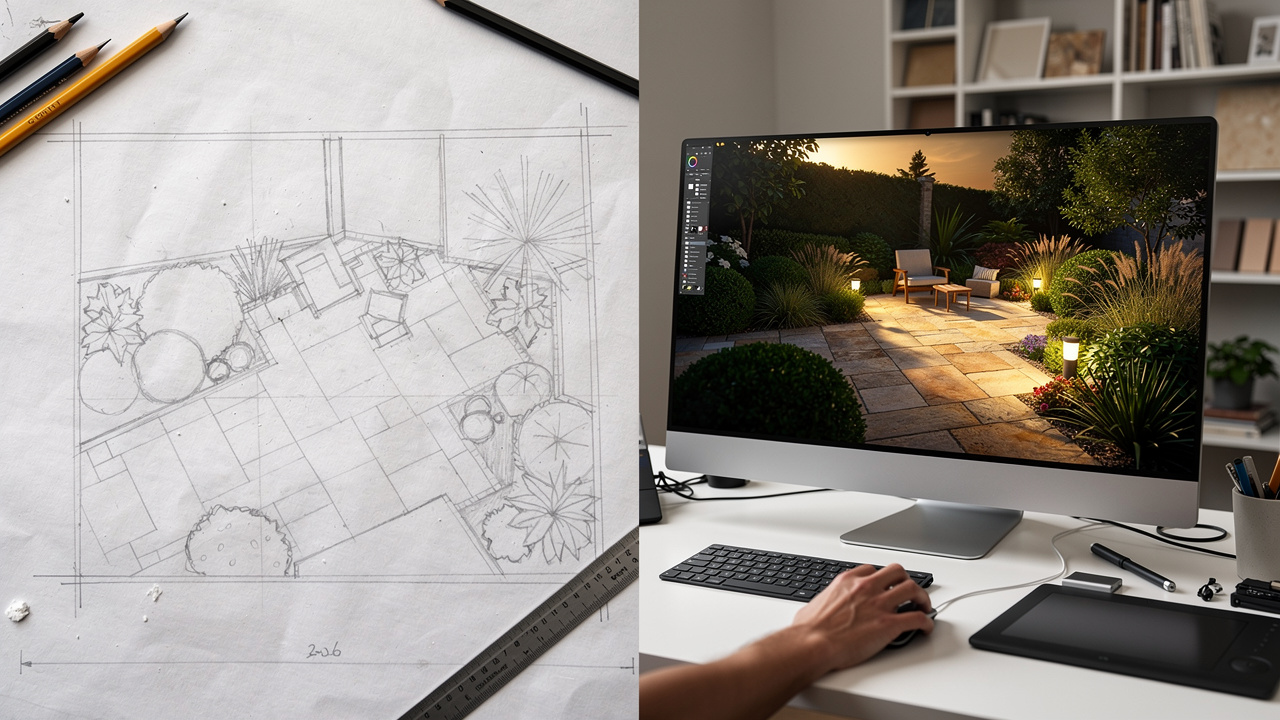
VizCloud sits at the rendering end of your workflow, turning rough exports into images that look like finished photos. You upload a simple 3D model, a quick export from a planner, or even a marked‑up yard photo, then let the AI create a realistic exterior scene. That includes plants, paving, lighting, and sky conditions that feel natural to clients.
The platform includes focused exterior tools for outdoor work. One mode handles full gardens and yards, while AI Home Exterior Design helps you show new siding, roofing, and entry details in context. Exterior rendering tools accept content from SketchUp, Revit, or lighter planners, so architects and BCIN designers can keep using their preferred modeling stack.
Key benefits for design pros:
Speed and ease of use. You do not need deep experience in Lumion, V‑Ray, Twinmotion, or Enscape to reach a high level of realism. According to a recent report from McKinsey, many firms already see strong productivity gains from AI, and tools like VizCloud bring that shift to everyday visualization tasks.
Direct AI edits. You can fix planting density, adjust mood, or tweak materials directly in the render rather than going back to rebuild the model. Since VizCloud also covers interior, staging, and style control, small studios avoid paying for separate apps just to finish one set of marketing images.
Transparent pricing makes VizCloud practical for solo designers and growing firms. You can pair a free yard design app for planning with VizCloud for final renders, instead of investing in heavy rendering software across your whole team. Many architects and real estate agents build this two‑step flow into their process for planning approvals and listing photos.
iScape Best For AR Visualization And On Site Client Presentations
iScape stands out for its augmented reality focus. On an iPhone, iPad, Android phone, or Apple Vision device, you can point the camera at a property and place virtual plants, trees, and hardscape elements directly over the live view. That makes it ideal for on‑site client meetings, real estate showings, and quick “what if” sessions at the curb.
The app also runs as a planner with 2D layout tools and a strong plant library. Designers can search for specific shrubs or trees, drop them into a scene, and then generate a material list for purchasing. According to coverage in Forbes and HGTV, iScape users have created millions of outdoor designs, which shows how widely the tool is used in both DIY and professional circles.
For business users, iScape Pro adds proposal features on top of the free tier. You can turn a design into a PDF with pricing, item names, and company branding, ready for a client signature. Reviews on the Apple App Store highlight the strength of the AR tools, while Google Play reviews mention that Android users should watch subscription settings carefully.
Planner 5D Best For Multi Platform Workflows And Photorealistic Planning
Planner 5D operates in the browser and on mobile, which makes it a natural fit for firms that work across devices. The drag‑and‑drop interface supports both interior and exterior design, so one project file can show a full home renovation with decks, patios, and gardens in place. That is especially helpful for design‑build firms and interior designers who handle indoor and outdoor scopes together.
Inside the free tier, you can draw 2D site plans, then swap to 3D and apply realistic textures to pavers, siding, and planting areas. A virtual walkthrough mode helps clients see how circulation and sightlines feel from the back door to the far corner of the yard. According to material from Planner 5D, the AI design assistant can even generate layouts from sketches, saving hours on first‑pass concepts.
Planner 5D also handles cloud sync across devices, so teams can start a file on a laptop and review it on an iPad with a client. Cost‑estimating tools help track materials, while exports from the platform can be fed into VizCloud for final photorealistic rendering. For niche needs, some teams also pair Planner 5D with smaller apps like GardenPuzzle, NPT Backyard, or Veggie Garden Planner to fine‑tune planting or pool layouts.
How AI Is Changing The Future Of Free Yard Design Apps
AI is reshaping how a free yard design app fits into your workflow. Instead of drawing every bed line and plant group by hand, you can lean on smart suggestions, automatic fills, and fast rendering. This shift cuts repetitive tasks and gives you more time for design thinking and client strategy.
Tools like Planner 5D and iScape already show this trend:
Planner 5D offers an AI assistant that reads a sketch or template and proposes a finished yard layout.
iScape uses AI to speed plant and product search, so you can locate the right maple or paver pattern in seconds.
These features help both senior designers and newer staff reach useful options without long training cycles.
At the visualization end, AI rendering platforms like VizCloud take the next step. You no longer need to fine‑tune every sun angle, reflection, or texture setting the way you would inside traditional software from Autodesk or Chaos. According to research from Boston Consulting Group, design teams that adopt AI tools in visual work often report faster delivery and higher client satisfaction.
“The details are not the details. They make the design.” — Charles Eames
AI helps with many of those details, freeing you to focus on the bigger design moves that matter to clients.
As free and low‑cost tools add more AI support, the gap between them and heavy premium software narrows. For many small to medium firms, that means you can reserve full CAD and BIM suites for technical drawings, while handling ideation and presentations through a mix of free apps and VizCloud. Early adoption now makes it easier to adapt as clients start to expect AI‑level visuals in every proposal.
Making The Right Choice For Your Practice With A Free Yard Design App

Picking the right free yard design app starts with an honest look at your role and workload. The best option for a contractor walking jobs with an iPad will differ from the best choice for an interior designer working at a desktop. Once you know where you spend most of your time, the field narrows quickly.
Consider these common cases:
Outdoor‑focused designers and contractors. Outdoor architects and contractors who work face to face with homeowners often gain the most from iScape. The on‑site AR view helps them show before‑and‑after ideas during one visit, then produce a materials list and, with iScape Pro, a clear proposal. Nursery managers and garden center staff can use the same features to upsell planting plans on the spot.
Interior designers and technical staff. Interior designers, architectural technologists, and BCIN designers tend to benefit from Planner 5D. They can keep interior rooms and outdoor areas in a single file, check circulation from the kitchen to the patio, and review versions with remote clients through the browser.
Real estate agents and property marketers. Agents and marketing teams can use either app to test curb‑appeal upgrades for listings before hiring contractors. Simple AR or 3D views help buyers understand the value of outdoor improvements.
For final visuals, pairing these tools with VizCloud often gives the best balance. You keep all the speed and low cost of the free tiers for planning, then use VizCloud to turn key views into photorealistic images for city staff, investors, or buyers. This mix keeps your software stack light while still matching the visual quality buyers see from large national builders on sites like Zillow and Redfin.
Final Thoughts On Visualizing Your Dream Yard Today

The right mix of tools removes guesswork from outdoor projects and helps every client see the yard they are paying for in clear detail. A free yard design app handles fast layout work, quick AR previews, and day‑to‑day collaboration between designers, builders, and agents.
When you add VizCloud on top, you gain photorealistic rendering without wrestling with complex software or large hardware needs. That means faster approvals, stronger marketing images, and fewer surprises once construction begins. This is a good time to test these options, refine your workflow, and see how much smoother your next round of yard designs can feel.
Frequently Asked Questions
Question 1: What is the best free yard design app for professionals?
The best free yard design app depends on your role and workflow. Many contractors prefer iScape for AR on site, while designers like Planner 5D for multi‑platform planning. For photorealistic AI rendering across all these projects, VizCloud is a strong partner tool.
Question 2: Can I use a free yard design app without design experience?
Yes, most free apps are built for non‑experts as well as pros. Planner 5D, iScape, and similar tools use drag‑and‑drop controls and clear menus. VizCloud follows the same idea, guiding you from simple inputs to polished renders without a steep learning curve.
Question 3: Are free yard design apps good enough for client presentations?
Many free apps are fine for early layout and AR‑style previews, especially with iScape or Planner 5D. For final decks, planning approvals, or property marketing, photorealistic images from VizCloud usually feel more polished. A common approach is to plan in the free app, then render key views in VizCloud.
Question 4: Do free yard design apps work on mobile?
Yes, several popular options work well on phones and tablets. iScape runs on iOS and Android, and Planner 5D offers apps alongside its browser version. VizCloud is accessed through the web, so you can upload files and manage renders from modern mobile browsers or desktop systems.
Question 5: What features are typically locked behind paid tiers in free yard design apps?
Paid tiers often add proposal creation, custom branding, larger object libraries, and advanced export formats. iScape Pro, for example, adds formatted PDF proposals, while Planner 5D expands catalog options. Before upgrading, map these extras against your workflow and see whether a mix of free planning plus VizCloud rendering already covers your needs.