

AI Interior Design: 15 Best Free & Paid Tools

AI Interior Design: 15 Tools Tested – Here Are The Best Free & Paid Options
Introduction
A few years ago, asking for three fully rendered options before a client meeting often meant a sleepless night or a rush order to a freelancer. Now AI interior design tools can turn a rough sketch or quick site photo into polished visuals before lunch. What started as a curiosity has become part of how serious studios, technologists, and real estate teams work every week.
The pressure is real. Traditional rendering takes hours in 3D software or days when outsourced. Costs add up fast, and clients expect near‑instant visual answers to every “what if we tried…” question. Real estate agents feel the same squeeze when every empty listing needs to look move‑in ready on day one.
This guide is integrate AI visualization. We tested 15 leading interior design AI platforms on the same three spaces: a dated kitchen, an empty living room, and a plain bedroom. Each tool went through the same prompts and style presets so we could compare photorealism, control, speed, pricing, and how well each one fits a professional workflow. Throughout the article, you will also see how VizCloud stands out as a professional‑grade AI interior design and virtual staging platform that gives architects, interior designers, BCIN designers, technologists, and real estate teams fast client‑ready renders without heavy software or training.
Key Takeaways
-
AI interior design tools can cut visualization time from days to minutes, turning same‑day ideas into clear images. Quality and control vary widely, so choosing platforms aimed at professional work prevents “fast” renders from turning into rework.
-
Professional platforms such as VizCloud, Spacely AI, and Foyr Neo offer a strong mix of photorealism, customization, and workflow fit. They accept real project inputs like 3D models, floor plans, and site photos instead of only text prompts, making them suitable for client decks, planning meetings, and marketing campaigns.
-
Free tools help with quick inspiration and broad style exploration. They are handy at the very start of a project, but free tiers usually come with watermarks, lower resolution, and less control. Relying only on free tools often shifts hidden costs into editing and manual cleanup.
-
Virtual staging features matter a lot for real estate pros and property marketers. Tools that treat staging as a core feature tend to do better with scale, perspective, and realistic furniture choices. This directly affects listing performance, leads, showings, and time on market.
-
Prompt quality has a direct impact on output quality across almost every interior design AI platform. Vague requests lead to generic renders, while specific design language produces images that match your intent. Human oversight still matters for catching AI quirks and confirming that designs are buildable, code compliant, and on budget.
What Is AI Interior Design And How Does It Work?
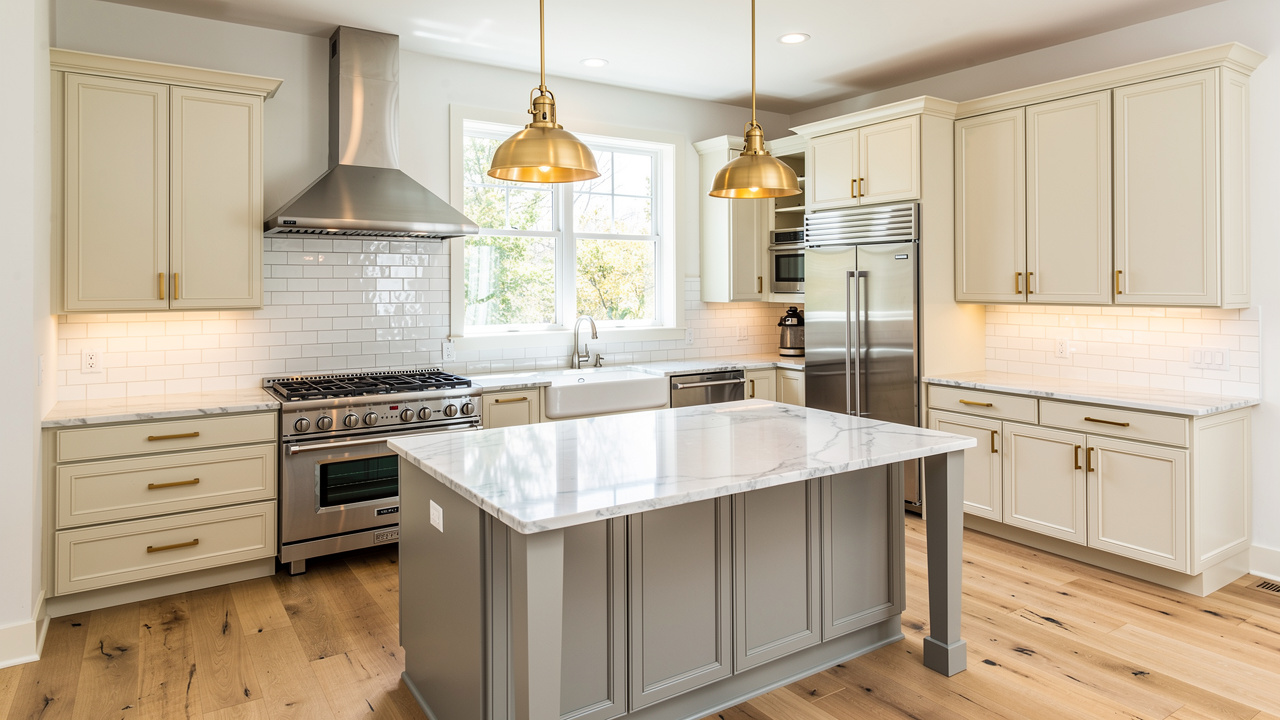
AI interior design uses machine learning models to create realistic images of spaces from the information you give them. Instead of building every camera, material, and light by hand, you describe the intent and let the system handle the heavy lifting. The aim is not to replace design thinking but to remove slow production steps between your idea and a clear visual.
These models are trained on large collections of interior photos, renders, and layouts. Over time they learn how walls, windows, shadows, and materials relate to each other. When you upload a room photo or a 3D model, the AI predicts what new finishes, furniture, and lighting could look like while staying consistent with the geometry in the image.
Most AI-powered rendering follow the same loop: you provide an input, the system processes it, and a render appears within seconds or minutes. From there, you refine the design with new prompts, style changes, or small manual edits until the image matches your intent.
Common input types include:
-
Room photographs for restyling what already exists. The AI reads the geometry, replaces finishes and furniture, and keeps the basic structure in place. This is common in real estate virtual staging and quick refresh concepts.
-
2D floor plans to move from plan to perspective without full 3D modeling. The AI interprets walls and openings, then builds a three‑dimensional view. This helps technologists and BCIN designers show layouts in a more understandable way.
-
Basic 3D models from tools such as SketchUp or Revit. You stay in control of dimensions and structure while interior design AI takes care of lighting, materials, and styling.
Output can range from a single static render to multiple style variations of the same room. Some platforms add 360‑degree views or simple walkthroughs. In every case, the first image is only a starting point; you still steer design intent, while AI removes much of the grinding production work.
Why Professional Designers Are Adopting AI Visualization Tools
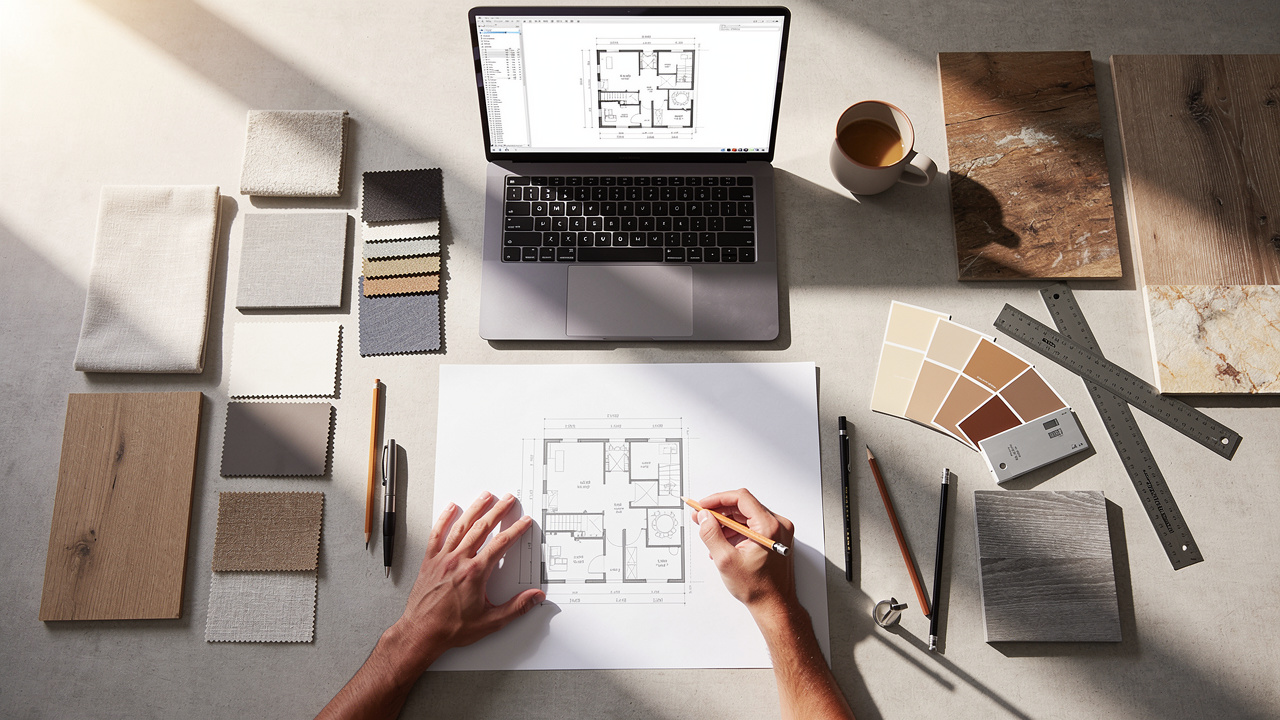
Design and construction projects already move fast, and client expectations move even faster. When a landlord, developer, or homeowner asks for options, they rarely want to wait a week, which is why many architects, interior designers, and real estate teams now rely on AI visualization tools.
Key reasons include:
-
Time savings. AI renders arrive in minutes, so you can react to feedback within the same meeting cycle instead of waiting on outsourced 3D artists.
-
Revision agility. Requests like “lighter floors” or “a darker island” become quick iterations on the same base image or model, keeping stakeholders engaged while staying aligned with schedule and budget.
-
Clearer client communication. Creating photorealistic visuals help non‑designers understand scale, light, and materials without reading drawings. For real estate teams, virtual staging AI can turn empty or outdated rooms into furnished scenes that attract more clicks and showings.
-
Competitive edge. Firms that respond to RFPs and proposals with strong visuals tend to stand out, especially when they arrive quickly. Platforms like VizCloud accept real project inputs and return clean, client‑ready renders without demanding deep 3D skills from every staff member.
“The details are not the details. They make the design.” — Charles Eames
AI speeds up drawing those details, but human judgment still gives them meaning.
How We Tested These 15 AI Interior Design Tools

To compare these platforms fairly, we set up the same test for every tool. Each one received three inputs that reflect common real projects: a dated kitchen needing a modern refresh, an empty living room ready for staging, and a simple bedroom suitable for both real estate and design work.
Wherever possible, we used the same detailed prompts. For example, one kitchen prompt asked for cream shaker cabinets, marble‑look counters, a simple white tile backsplash, and warm metal hardware in a transitional style. If a platform did not support text prompts, we picked the closest preset styles instead, such as modern, coastal, or traditional.
We then scored each AI interior design tool against several criteria:
-
Output quality. Sharpness, lighting, material realism, and whether the room still felt believable when zoomed in, with extra attention to reflections, shadows, and small objects.
-
Ease of use. Interface clarity, onboarding, and how long it took to get a solid first render without reading long manuals.
-
Customization. Control over prompts, style libraries, negative prompts, and manual tweaks such as moving furniture or changing single finishes.
-
Speed and workflow fit. Render time and how well the tool connects with other software through import and export formats.
-
Pricing and professional value. What you receive at a recommended pro tier, including render limits, image resolution, and commercial usage rights.
Finally, we shared test renders and impressions with working interior designers, architects, and real estate marketers. Their feedback on realism, style accuracy, and client readiness helped ground the rankings in real practice rather than lab tests.
1. VizCloud – Best Overall For Professional Designers And Architects
VizCloud is built for professional AI interior design work. You upload sketches, simple 3D models from tools like SketchUp, or site photos, and VizCloud returns polished images in minutes. Interior visualization, virtual staging, and design refinements sit in one interface, so teams are not bouncing between half a dozen apps. In our tests, renders were fast, sharp, and believable enough for client decks and listings without extra retouching. Subscription pricing are aimed at working studios, from solo specialists to multi‑seat firms, with clear usage limits and commercial rights.
2. Spacely AI – Best For Project Persistence And Iterative Revisions
Spacely AI treats each design as a project you can revisit instead of a one‑off image. You feed it sketches, room photos, or white 3D models, then keep tweaking lighting, finishes, and furniture over time without rebuilding scenes. That project history suits firms juggling many jobs at once, and a subscription model makes sense for steady, revision‑heavy work.
3. Foyr Neo – Best All‑In‑One Platform For E‑Design Professionals
Foyr Neo combines floor‑plan drawing, 3D modeling, product libraries, and AI rendering in a single workspace. E‑designers can sketch layouts, drop in furniture from a large catalog, and generate client‑ready views without leaving the app. It has more depth than one‑click tools but is lighter than full CAD or BIM, with tiered subscriptions for everyone from solo designers to heavy users.
4. HomeVisualizerAI – Best Advanced Customization For Detail‑Oriented Designers
HomeVisualizerAI rewards precise prompts. You mix style presets with detailed instructions about colors, finishes, and fixtures, then fine‑tune how closely the AI clings to the original image using a creativity slider. Style‑fusion and Google Lens integration help you apply inspiration photos to real rooms and find similar products, with a credit‑based model after a short free trial.
5. ArchVinci – Best For Sketch‑To‑Photorealism Without CAD Experience
ArchVinci lets you jump from hand or tablet sketches straight to convincing renders. You upload a drawing or screenshot, choose a style, and the AI interprets walls, openings, and key objects to produce a polished scene. It is ideal for early concept presentations and portfolios, especially for designers who do not want to spend hours building full 3D models.
6. Collov AI – Best For Furniture Placement Control And Cabinetry Design
Collov AI emphasizes precise placement. An interactive brush tool lets you mark where sectionals, dining tables, or cabinet runs should go, and the AI respects those marks instead of guessing. That control is especially helpful for kitchens and baths, and a credit system suits focused design sessions where every view needs to count.
7. VisualizeAI – Best For Exclusionary Prompting And Product Design
VisualizeAI listens carefully to what you do not want. Negative prompts like “no cabinet hardware” or “no ceiling pendants” help you curb clutter and control lighting schemes. It can also generate custom furniture concepts from text descriptions, giving product designers fast visual studies, all on a credit‑based pricing model.
8. RoomsGPT – Best Free Tool For Quick Style Exploration
RoomsGPT is a simple upload‑and‑restyle tool: add a room photo, choose the type of room, pick a style preset, and wait a few seconds. It is great for quick mood exploration, especially when clients reference television designers or popular online looks. Control is limited, so pros usually treat it as a conversation starter rather than a source of final images.
9. Decorilla – Best Hybrid Service Combining AI With Human Designers
Decorilla pairs clients with human interior designers who use AI behind the scenes. Packages typically include a style questionnaire, budget talk, AI‑assisted concepts, realistic visuals, and shopping lists with links. It suits homeowners who want guidance plus clear deliverables, while studios may view it more as an outsourcing partner than a daily tool.
10. REimagine Home – Best Entry‑Level Tool For New Designers
REimagine Home offers an approachable interface for restyling rooms, basic virtual staging, and light exterior views. Upload a listing photo or client image, pick a broad style, and the AI returns a furnished or refreshed version. It works well for new designers and real estate agents taking their first steps into AI, though advanced users will eventually outgrow it.
11. Microsoft Bing Image Creator – Best For Pure Design Inspiration Generation
Bing Image Creator, powered by DALL‑E, turns text descriptions into original interiors that are not tied to real architecture. It shines at the earliest idea stage, when you just need variations on “a warm modern lobby with terrazzo floors,” then want to pull the best results into a mood board. A points system for prompts keeps costs low or near‑zero.
12. Palazzo – Best For Style‑Guided Personalized Design
Palazzo starts with a style quiz to map a user’s preferences, then uses that profile to steer later renders. A built‑in chatbot lets clients react in plain language—“more color,” “less wood,” “simpler lighting”—instead of writing formal prompts. Credit‑based pricing makes it a handy option for discovery sessions and early client workshops.
13. DecorMatters – Best Social Platform For Design Community Engagement
DecorMatters combines a large catalog of furniture and decor with a social feed. Users build room scenes, post them, and receive comments or likes from the community. It is useful for students and enthusiasts practicing layouts and styling, while pros may treat it as a light marketing channel and feedback source.
14. ChatGPT – Best AI Design Consultant For Brainstorming And Concept Refinement
ChatGPT acts as a text‑based design assistant. You can upload photos or describe spaces, then ask for style observations, layout tweaks, color palettes, or help turning fuzzy client comments into clear design directions. Those insights often become the prompts you send to tools like VizCloud, Spacely, or HomeVisualizerAI, reducing trial and error in visual work.
15. Google Lens (Integration Tool) – Best For Product Identification And Sourcing
Google Lens plays a supporting role by connecting AI renders to real products. You zoom in on a chair, pendant, or rug, run Lens, and see similar pieces across multiple retailers. Several platforms already integrate it directly, but even as a standalone app it makes turning AI imagery into practical specifications much easier.
Free Vs. Paid AI Interior Design Tools: What You Actually Get
Many platforms offer free tiers, and they are tempting starting points. For learning and early tests, these plans can be worthwhile. However, once you try to present work to paying clients, the limits appear quickly in both image quality and practical rights.
Free versions usually:
-
Cap the number of renders you can generate within a time window.
-
Produce smaller images that blur when dropped into slide decks or printed.
-
Add watermarks that are rarely acceptable in professional proposals.
-
Restrict control to broad presets with little room for detailed prompts or manual edits.
Paid professional tiers change that picture by raising or removing render limits, adding higher‑resolution output, and dropping watermarks so you can use images in decks, listings, and ads. Full prompt access and editing tools open up, along with the ability to save, revisit, and refine projects over time. Platforms such as VizCloud, Spacely, and Foyr Neo follow a subscription model that suits active professionals, while tools like HomeVisualizerAI and Collov use credit systems that can work well if you need only a handful of key views each month.
A quick comparison:
|
Feature |
Free AI Interior Design Tools |
Paid AI Interior Design Tools |
|---|---|---|
|
Render Limits |
Low; daily or monthly caps |
Higher caps; often suitable for steady client work |
|
Image Resolution |
Small to medium |
Large, print‑friendly |
|
Watermarks |
Common |
Usually removed |
|
Prompt / Style Control |
Basic presets |
Detailed prompts, negative prompts, style libraries |
|
Commercial Rights |
Often restricted |
Typically allow use in client projects and marketing |
|
Support & Reliability |
Limited |
Priority queues and better support |
When you weigh cost against value, compare subscription fees with the price of one outsourced render or a few hours of your own time. If a platform saves even a couple of hours per project, the math often favors paying for a dependable tool.
Virtual Staging With AI: A Game‑Changer For Real Estate Professionals
Virtual staging uses computer‑generated furniture and decor to show how an empty or outdated property could look when furnished. Instead of hauling sofas and beds into a listing, agents and marketers send photos to a virtual staging AI tool and receive styled images ready for the MLS, brochures, and social channels. For buyers who struggle to picture scale or function in a bare room, this can make the difference between scrolling past and booking a tour.
“Empty rooms don’t sell. Buyers fall for what they see, not what they might imagine.” — Common saying among listing agents
The financial case is strong. Traditional staging can cost several thousand dollars per property once you account for furniture rental, delivery, styling labor, and removal, and it usually focuses on only a few rooms. AI‑based staging can cost a fraction of that per image, and you can stage every bedroom, bonus room, or awkward nook without trucks or storage.
Among the real estate visualization, several stood out. VizCloud handles virtual staging with the same focus on realism it brings to interior design rendering, which makes listing photos look credible instead of cartoonish. REimagine Home offers a friendly entry point for agents new to AI and works well on standard residential spaces. Spacely AI preserves architectural detail while adding furniture, which helps with lofts or mixed‑use properties.
Best practices matter:
-
Keep staged scenes believable, with layouts and furniture that would actually fit.
-
Avoid ultra‑luxury pieces that clash with the price point of the property.
-
Add clear notes in the listing that photos are virtually staged.
Handled this way, real estate virtual staging becomes a standard service that sets real estate teams apart while adding real marketing value.
Common Limitations And “AI Weirdness” To Watch For
As impressive as AI interior design tools have become, they still have rough edges. Treating them as perfect can lead to awkward moments in front of clients, so a bit of skepticism and close review is wise.
Typical issues include:
-
Perspective and scale distortion. Chairs may float slightly above the floor, or rugs may end at odd angles that do not line up with walls.
-
Strange object behavior. Light fixtures with impossible shapes, cabinets that could never open, or decor placed where no one would set it in real life.
-
Material oddities. Reflections ignoring light sources, wood grain that changes direction mid‑panel, or glass that behaves like plastic.
-
Feature gaps. Many lighter tools cannot move walls, add windows, or handle structural changes, no matter what the prompt says.
-
Weak inputs. Cluttered or low‑resolution photos often lead to warped geometry and blurry details.
“Measure twice, cut once.” — Proverb often heard on construction sites
The safest way to use interior design AI is to see it as a fast idea engine rather than a final authority. Human review remains essential for code checks, constructability, accessibility, and budget control. When you combine AI speed with professional judgment, you get the best of both worlds without putting clients or projects at risk.
FAQs
Is AI Interior Design Ready For Client Work Or Only For Inspiration?
Yes, many tools are ready for client work as long as you pick platforms aimed at professionals. Tools like VizCloud, Spacely, and Foyr Neo produce images that hold up in meetings and printed decks, while lighter apps are better kept for mood boards and early brainstorming.
Can AI Replace Human Interior Designers Or Architects?
AI can produce attractive images but does not understand building codes, budgets, or how real materials behave over time. Designers and architects still handle space planning, coordination, safety, and client guidance; AI simply speeds up visualization so more time can go into higher‑level thinking and problem solving.
Which AI Interior Design Tools Work Best For Real Estate Agents?
Real estate agents usually care most about virtual staging, speed, and ease of use. VizCloud and REimagine Home are strong choices for staging listings quickly, and Spacely can help on more complex spaces, especially when floor plans or white‑box models are involved.
Do I Need 3D Modeling Skills To Use These Platforms?
Not always. Several tools accept simple room photos and handle the rest, so modeling skills are optional. VizCloud, REimagine Home, and RoomsGPT all work well from photos. If you already use SketchUp or similar software, pro tools that accept models simply give you more control over geometry and structure.
How Should I Handle Client Privacy When Using AI Tools?
Avoid uploading documents that include names, addresses, or sensitive notes. Stick to room photos, models, and clean floor plans without personal details. For larger firms, review each platform’s privacy policy and involve your IT or legal team when choosing approved tools.
Conclusion
AI is changing how fast design and real estate teams can move, but it has not changed what clients expect. They still want spaces that feel right, work well, meet code, and respect budget; the difference is that they now expect to see those ideas in clear images far earlier in the process.
The fifteen tools in this guide cover everything from first sketch to final listing photo. Some are ideal for quick idea generation, others for deep control, and a few for hybrid service models. Across them all, platforms built with professionals in mind, such as VizCloud, stand out for speed, reliability, and images that are ready to drop straight into your next deck.
If you are just starting with AI interior design, begin with one or two tools that match your workflow rather than trying them all at once. Test them on a real project, compare the time saved against your usual process, and refine from there. With a bit of practice and smart tool choices, you can give clients better visuals in less time while keeping your creative and technical standards firmly in place.