
Render AI: Fast Photorealistic Visuals for Designers
Introduction
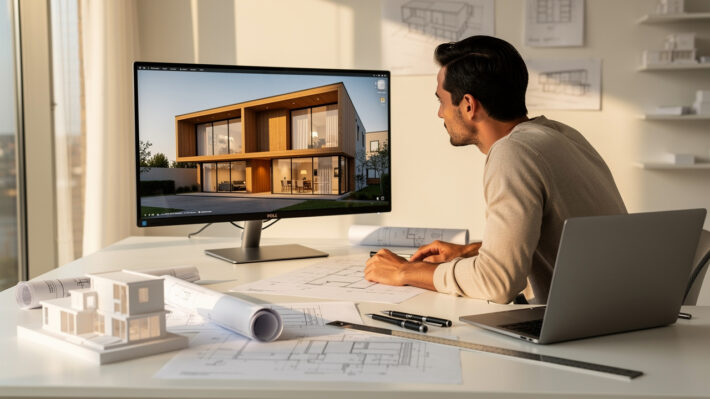
Waiting overnight for a render, then spotting one small change the client wants, can grind a project to a halt. Render AI flips that pattern by turning your designs into polished visuals in minutes instead of days.
Tight deadlines, unclear client feedback, and expensive outsourcing make traditional rendering feel like a constant bottleneck. Long tutorials for tools like V-Ray or Lumion only add more friction.
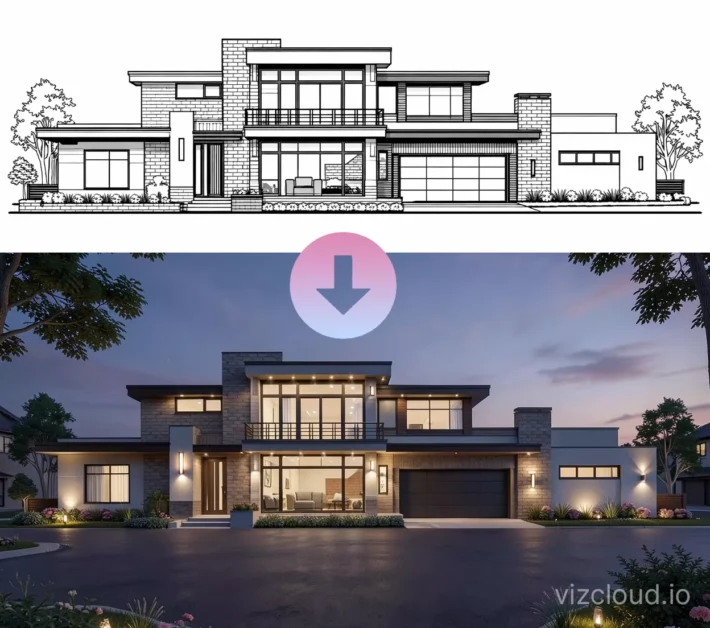
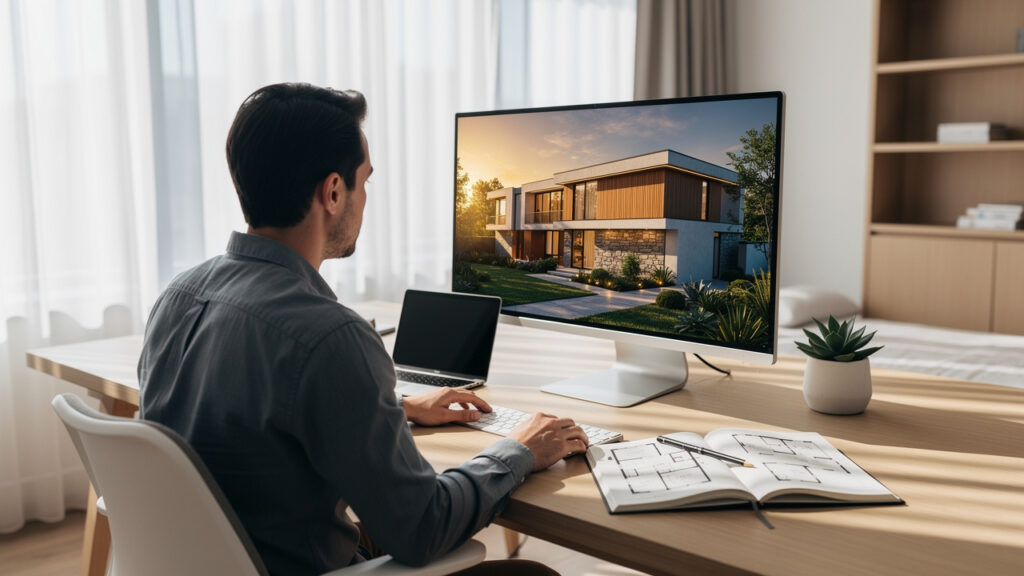
Render AI uses artificial intelligence to turn sketches, 3D models, and rough drawings into photorealistic images with very little setup. Platforms such as VizCloud let architects, interior designers, BCIN designers, and real estate professionals go from idea to client-ready imagery fast. This guide explains what render AI is, what it can do, how it changes your workflow, who benefits most, and how to pick the right platform.
“Design is not just what it looks like and feels like. Design is how it works.” — Steve Jobs
Now keep going to see how this technology fits into daily design and property work.
Key Takeaways
Render AI is AI-powered rendering that converts sketches, drawings, 3D models, and even photos into realistic visuals in minutes. This replaces the long waiting times and hardware strain that come with traditional rendering pipelines.
Modern render AI tools cover many tasks across your workflow, from sketch-to-render and model conversion to virtual staging, style changes, and refinement. That range lets you support both early concept work and polished marketing or planning packages.
When render AI sits inside your normal process, it speeds up concept development, client communication, and planning submissions. Faster visuals mean quicker feedback, fewer surprises, and smoother approvals for both design and real estate projects.
VizCloud focuses on architects, designers, BCIN professionals, and real estate teams, with tools for exterior, interior, staging, style, refinement, and editing in one place. The platform removes the need for deep rendering knowledge so more people on your team can contribute visuals.
Choosing a render AI platform works best when you look at image quality, ease of use, fit with tools like SketchUp or Revit, tool coverage, and clear pricing. VizCloud lines up with these checks while keeping costs friendly for solo and small-to-medium practices in the US.
What Is Render AI And Why Does It Matter For Design Professionals?
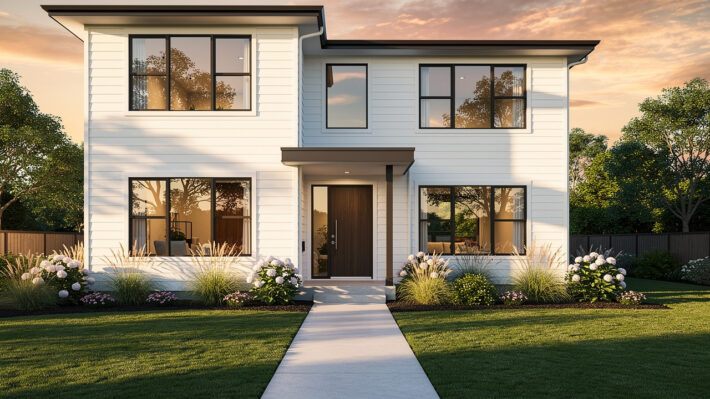
Render AI is artificial intelligence that turns design inputs into high quality visuals far faster than classic render software. Instead of spending hours in V-Ray, Lumion, or Enscape tweaking lights and materials, you feed the AI a sketch, model image, or rough drawing and receive a photorealistic scene within minutes.
For architects, interior designers, BCIN designers, and real estate teams, this step changes how ideas move from your head to the client’s eyes.
McKinsey reports that generative AI can cut time spent on certain creative tasks by as much as half in some workflows.
That kind of time saving can easily cover many of the hours you used to spend waiting on renders or chasing external visualization vendors.
Render AI also softens the learning curve that often comes with tools from Autodesk, Chaos, or other rendering vendors. Instead of mastering complex render settings, you keep working in SketchUp, Rhino, Revit, ArchiCAD, or Blender, then hand off images or exports to the AI. The AI engine reads form, light, and context, then returns visuals that make sense to clients and planning boards.
Platforms such as VizCloud treat AI rendering as a helper for your design skill, not a replacement. You still control massing, layout, and detail. The AI simply lets you show those choices clearly at every stage, from first mood boards to planning submissions and real estate listings.
What Can Render AI Actually Do? Core Capabilities Explained
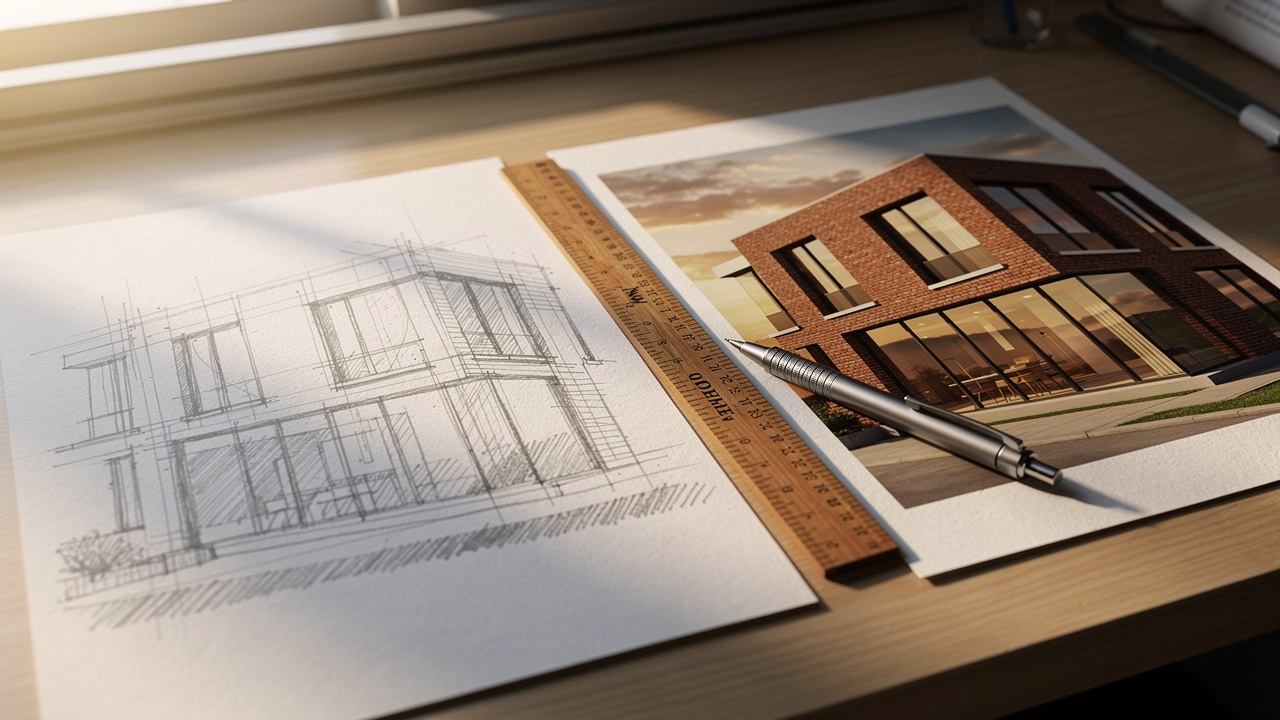
Render AI platforms give design professionals a set of practical tools that plug into daily work. These tools convert rough inputs into clear visuals and then keep improving those visuals without heavy manual effort.
One key ability is sketch-to-render conversion. An architect can snap a photo of a pen-and-paper elevation, upload it, and in moments see that same idea as a daylight facade with real depth, texture, and sky. Another core feature is model-to-render, where exports from SketchUp, Rhino, Revit, ArchiCAD, Vectorworks, AutoCAD, or Blender become polished stills without long test renders. Research from Nielsen Norman Group shows that people react strongly to meaningful images, which matches what clients experience when they see these upgraded views.
Render AI also helps with material and style changes. You can swap brick for wood, try different kitchen finishes, or flip a living room from cozy traditional to sharp modern without rebuilding the scene. Many tools include upscaling and detail refinement so a simple progress view can turn into a boardroom-ready image for investors, planners, or buyers. For real estate teams, photograph-to-staging tools turn empty rooms into fully furnished spaces that feel ready to move into.
VizCloud’s All-In-One Rendering Platform: Every Tool In One Place
VizCloud brings all of these render AI abilities into a single, focused platform for design and property work. Instead of juggling one app for interiors, another for exteriors, and a third for virtual staging, everything lives inside one clean dashboard.
The Exterior Rendering tool helps you present facades, streetscapes, and site and planting ideas for planning approvals or client review. Interior Rendering turns room sketches, CAD views, or SketchUp exports into lifelike spaces that show furniture, finishes, and light. Virtual Staging lets real estate agents and property marketers dress empty rooms for listings without physical staging costs.
On top of that, Style Rendering experiments with different visual moods, the Detail Refinement tool improves quality on existing renders or photos, and Edit makes targeted changes so you do not need to start again. VizCloud’s SketchUp-to-Photorealistic Rendering supports the many teams that center their workflow on Trimble SketchUp. All of this runs on transparent, accessible pricing so solo architects and small firms can bring render AI into their work without heavy overhead.
How Render AI Changes Your Design Workflow From Concept To Client

Render AI changes the pace and order of a project from the first sketch to final sign-off. Instead of waiting until the end of design development to show polished visuals, you share realistic images from day one.
During early concept work, quick visual runs help teams test more ideas. Massing studies from Revit, Rhino, or Grasshopper can be turned into streetscape views within a single working session. That means you can compare forms, materials, and urban context while options are still flexible. Studies from the American Institute of Architects highlight growing pressure on firms to meet tighter schedules, so shortening this early stage can ease that pressure.
You can think about the shift like this:
Before render AI: concept sketches stay rough for weeks while teams wait for a few hero images near the deadline.
With render AI: concept options become clear visuals the same day they are drawn, so weak ideas fall away faster.
At delivery: you have a larger library of consistent images ready for reports, proposals, and marketing.
Client communication gains even more from render AI. Many clients struggle with line drawings and simple shaded views. When you show them AI-generated interiors, facades, or site views, they react to something that feels like a finished space, not an abstract diagram. That clarity usually trims revision rounds and reduces late changes that once appeared during construction.
Render AI also supports planning and regulatory submissions across US cities and counties. High quality visuals are now expected by many planning boards and neighborhood groups. With tools like VizCloud, small and medium design practices can create planning-grade images without hiring a separate visualization studio, which keeps fees under control and improves response time when staff ask for a tweak.
For real estate, AI Virtual Staging and exterior rendering open up a bigger marketing library. According to the National Association of Realtors, nearly all home buyers start their search online, so strong photos and renders matter. With render AI, property marketers can present furnished interiors, seasonal exterior views, and even night scenes long before a building is complete.
“Architecture starts when you carefully put two bricks together. There it begins.” — Ludwig Mies van der Rohe
Who Benefits Most From Render AI? A Role-By-Role Breakdown

Render AI supports many roles across architecture, interior design, and property marketing, but it helps each group in a slightly different way. Seeing how it fits your role makes the value much clearer.
Architects And Architectural Technologists can turn early hand sketches or SketchUp massing models into visuals that look close to final buildings. That helps during competitions, community meetings, and internal design reviews. Instead of waiting for a specialist to finish a render, the project architect can generate options directly inside VizCloud.
Interior Designers And Home Design Specialists gain a fast way to test layouts, palettes, and lighting moods. A single living room plan can become several distinct looks, each with its own furniture and finish mix. In a client meeting, those options help shape taste discussions and keep decisions grounded in clear images.
Real Estate Agents And Property Marketers use virtual staging and exterior views to make listings stand out on portals such as Zillow or Redfin. Empty condos and homes become warm, lived-in spaces that buyers understand at a glance. According to Zillow, listings with rich imagery attract more online views, which supports this focus on strong visuals.
BCIN Designers can prepare permit packages that include visual context alongside plans and sections. Quick renders of key spaces help municipal staff picture fire routes, accessibility features, and overall fit with existing structures. This added clarity can smooth questions that might otherwise slow a permit.
Small To Medium Design Firms use render AI to stand beside much larger competitors. With VizCloud, a firm that lacks a dedicated rendering department can still supply photorealistic presentations and marketing images. That levels the field in RFPs, pitches, and client interviews without heavy software or staffing costs.
How To Choose The Right Render AI Platform For Your Practice
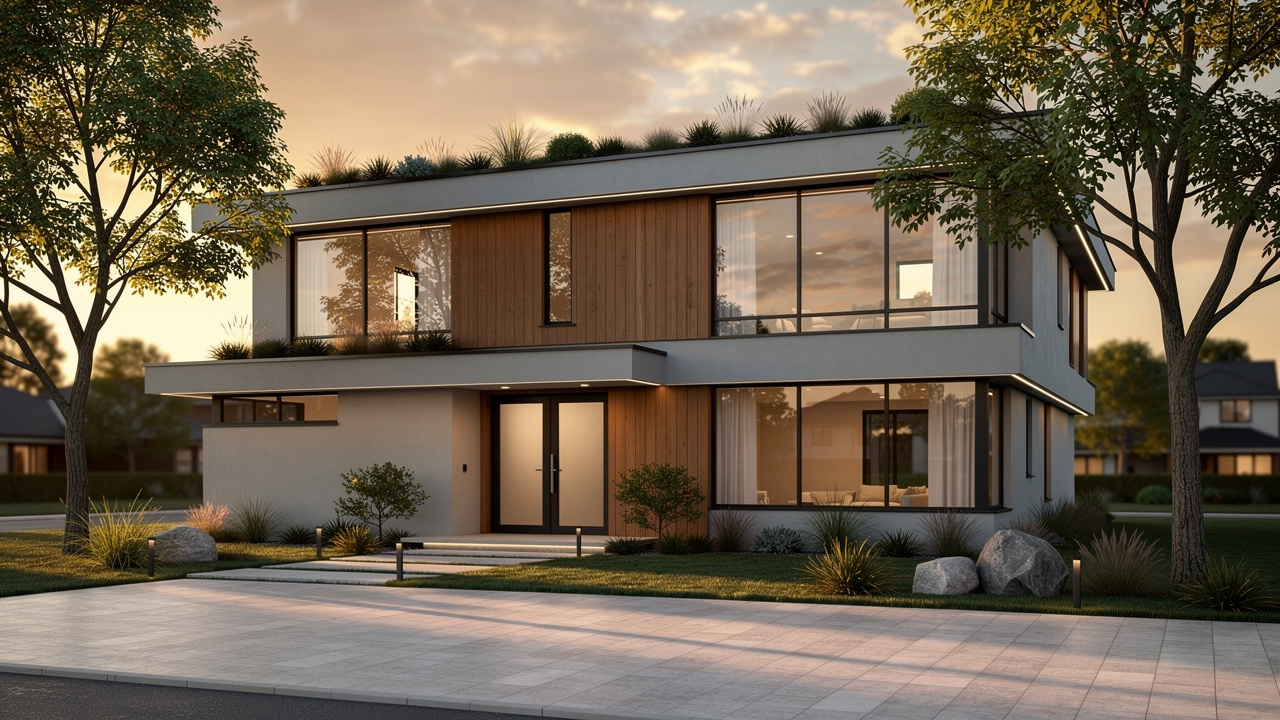
Choosing a render AI platform works best when you match the tool to real project needs. A short checklist keeps the decision grounded in daily tasks instead of marketing noise.
Output quality and photorealism matter most, because clients react first to how real the images feel. Look for believable lighting, accurate materials, and respect for your geometry instead of strange distortions. Compare results from tools such as VizCloud, Midjourney, or generic image generators using the same input views.
Ease of use should feel natural, even for team members who have never touched V-Ray or Lumion. Clear controls, simple upload flows, and prompt-based editing let designers focus on design rather than technical render steps. According to Autodesk, many firms face skill gaps around advanced visualization, so lowering the barrier widens who can help.
Workflow compatibility keeps projects moving, since your team probably already relies on SketchUp, Revit, Rhino, ArchiCAD, AutoCAD, or Vectorworks. The best render AI tools accept exports from these programs without complex file juggling. VizCloud’s SketchUp-to-Photorealistic Rendering is one example that supports this kind of handoff.
Tool coverage in one place reduces friction, especially when you need exteriors, interiors, staging, and light editing on the same project. A platform that includes all of those tasks avoids extra subscriptions and logins. VizCloud’s suite combines Exterior Rendering, Interior Rendering, Virtual Staging, Style Rendering, a Detail Refinement tool, and Edit in a single account.
Transparent, fair pricing keeps budgets sane, which matters for solo architects and small-to-medium firms. Look for clear tiers, commercial rights on paid plans, and no surprise fees for higher resolution exports. VizCloud structures its pricing so professionals can scale up their visual output without adding hidden costs.
Many teams compare three main options when upgrading visualization support: an AI platform like VizCloud, classic rendering software, or a specialist studio. The trade-offs look roughly like this:
| Approach | Pros | Cons | Best Fit |
|---|---|---|---|
| VizCloud and similar render AI platforms | Very fast results, no heavy hardware, easy for most team members | Less control over every low-level render setting | Busy design and real estate teams needing speed and a steady flow of images |
| Traditional rendering software | Full manual control, established pipelines | Long learning curve, slower renders, strong hardware requirements | Studios with specialist visualization staff |
| Outsourced visualization studios | Highly polished hero images, support for animation | Higher per-image cost, slower turnaround, less day-to-day flexibility | Large projects, competition entries, high-end marketing packages |
The Final Render: Why AI Rendering Is Now A Professional Essential
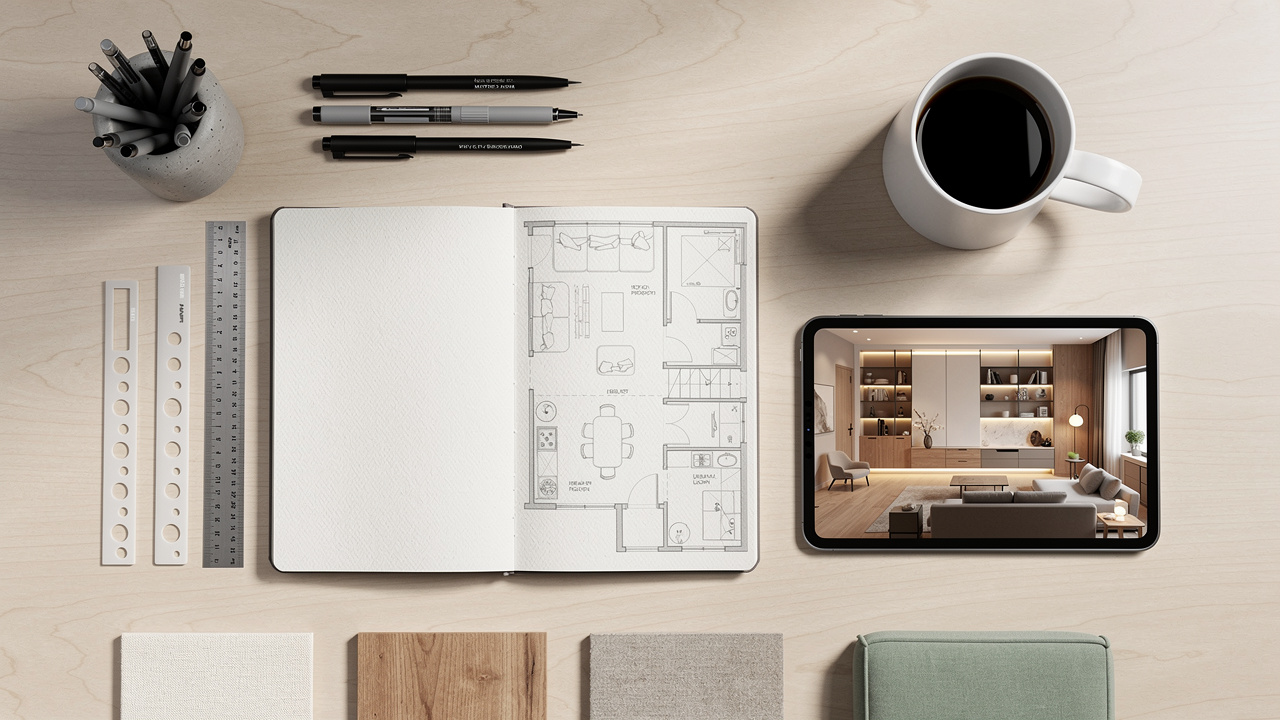
AI rendering has moved from side experiment to core production tool across architecture, interiors, and real estate. Render AI gives you a faster, clearer way to show ideas, win work, and keep projects on track.
When you can turn a simple SketchUp model or floor plan into a polished image in minutes, you change how early and how often visuals appear in your process. Clients, planning staff, and buyers see where the project is heading instead of guessing from lines alone. That means fewer surprises and smoother approvals.
VizCloud focuses this power on design and property professionals in a practical, cost-aware way. By gathering exterior, interior, staging, style, refinement, and editing tools into one platform, it lets you bring AI into your workflow without rebuilding everything around new software. If you want to reduce waiting, cut outsourcing, and present stronger visuals, now is the time to try render AI in live projects.
Frequently Asked Questions
Question 1: What Types Of Files Can I Use As Inputs For Render AI Platforms?
Most render AI platforms accept sketches, 3D model exports, photos, and standard design drawings. You can usually upload floor plans, elevations, and perspective views. VizCloud is tuned for sketches, rough drawings, and SketchUp exports that need photorealistic upgrades.
Question 2: Do I Need Design Software Experience To Use Render AI?
You do not need deep rendering software experience to use render AI on platforms like VizCloud. The interface is built for designers and real estate teams, so clear prompts and simple uploads are enough to create strong visuals.
Question 3: How Fast Does Render AI Actually Produce Results?
Render AI platforms such as VizCloud usually produce photorealistic images in a few minutes. That compares to the hours or even days that traditional tools like V-Ray, Lumion, or Enscape often require for final-quality renders.
Question 4: Can Real Estate Agents Use Render AI Without Architectural Training?
Yes, real estate agents can use render AI effectively without formal architectural training. Tools such as Virtual Staging and exterior rendering in VizCloud use clear presets and prompts, so agents can furnish rooms and present properties quickly.
Question 5: Is Render AI Affordable For Solo Practitioners Or Small Firms?
Render AI can be very budget friendly for solo practitioners and smaller design firms. VizCloud offers clear, accessible pricing that removes the need for expensive software bundles or full-time rendering staff while still delivering professional-grade images.