

Virtual Staging AI Free: Transform Your Listings Fast

Introduction
The photo on the screen shows an empty beige room: flat light, no furniture, no story. Any agent knows scroll‑happy buyers will flick past in a heartbeat, even when the floor plan and price are solid. That is usually the moment a search for virtual staging ai free tools begins.
Staging numbers are hard to ignore. Studies show that staged homes can sell up to 73 percent faster and draw offers up to 20 percent higher than similar unstaged listings. When a room feels finished and inviting, buyers stop guessing about scale and start picturing their own sofa and life in that photo.
AI virtual staging is a simple idea: upload a photo, pick a style, and software adds realistic furniture, lighting, and decor in minutes. No moving trucks, no 3D software, no long email threads with designers. With virtual staging ai free trials, real estate and design pros can try it on a real listing before spending a dollar.
This article explains what AI virtual staging is, why it matters for sales and fees, how the workflow looks step by step, and how to try it free with VizCloud. By the end, any agent, designer, or small firm can decide how to plug virtual staging ai free options into everyday marketing.
Key Takeaways
AI virtual staging turns empty or dated property photos into furnished, photoreal images in minutes, not days, and virtual staging ai free trials make it easy to test on real listings. This gives even small teams access to high‑end visuals without extra staff and speeds up how quickly listings hit the market.
Staged listings grab attention, sell faster, and often bring higher offers, so virtual staging ai free tools act as a low‑cost way to lift perceived value. No design background or heavy software is needed, since modern platforms guide every step from photo shoot to live listing.
VizCloud gives real estate and design pros instant AI staging, photorealistic quality, and interior tools in one place, backed by clear pricing and free credits. A team can try virtual staging ai free, judge the results, then scale up without changing systems, so busy pros stay focused on deals, not software.
What Is AI Virtual Staging — And Why Does It Matter?
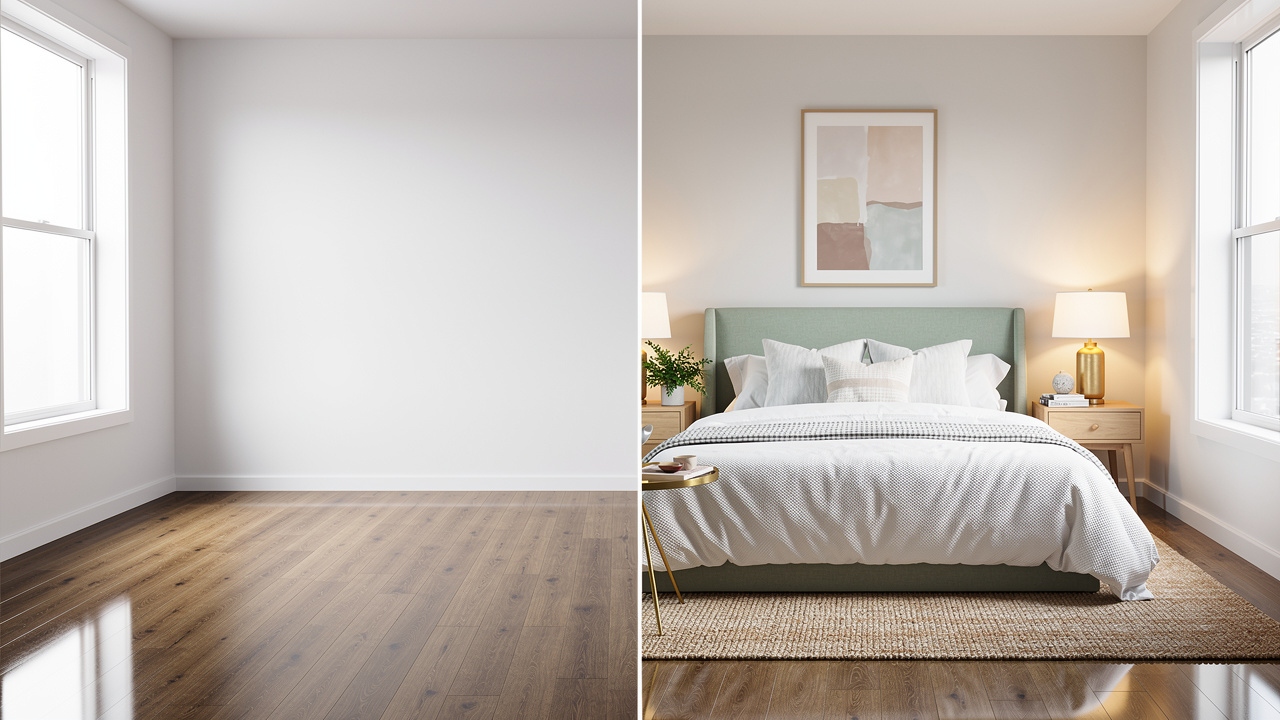
AI virtual staging uses machine learning to add realistic furniture and decor to property photos. Instead of a designer placing every chair and lamp by hand, the system studies the room, reads the walls, floor, and windows, then builds a layout that fits the space. The best tools make the final image look like a real photo shoot, not a quick edit.
Compared with older methods, the gap is clear:
| Method | Turnaround | Cost | Revisions |
|---|---|---|---|
| Physical staging | Days to weeks | Thousands per property | Slow and expensive |
| Manual virtual staging | Multiple days | Around twenty dollars per image and up | Limited and slow |
| AI virtual staging | Seconds to minutes | Low per image or subscription | Fast and flexible |
This shift matters because buyers shop through photos first. Vacant rooms feel cold and hard to read, so people struggle to judge scale or how their furniture will fit. Staging removes that mental work. When agents and designers plug a virtual staging ai free trial into their flow, they see how fast even one empty bedroom becomes a warm, finished scene.
For professionals, this is about more than looks. Research shows that about eight in ten buyer agents say staging makes it easier for clients to see a property as home. Better photos bring more clicks, more showings, and stronger offers. Good AI tools also keep walls, windows, and layout exactly as shot, which keeps images in line with MLS rules and ethical standards. Skipping staging now puts a listing at a clear disadvantage, which is why virtual staging ai free options are drawing so much interest from serious agents.
As the National Association of Realtors puts it, “Staging helps buyers visualize the property as a future home” — exactly what well‑done AI images are built to support.
The Real Business Impact – Why Staged Listings Win

Staging has always been about business results. AI simply makes those results reachable for more people. When a listing moves from empty photos to polished, staged images, the change in speed and price can be dramatic, and virtual staging ai free tools make it easy to test that on a single property.
Here is what the numbers tend to show when you compare similar staged and unstaged homes:
Time on market: Data shows that staged homes can sell up to 73 percent faster than similar unstaged homes. Buyers move quicker when they feel an emotional pull, and a well‑staged photo delivers that feeling before they step through the door. When virtual staging ai free trials are used on slow listings, many agents see an immediate bump in views and showings.
Sale price: Beautiful photos justify higher list prices and support stronger offers. Some studies report that staged properties can bring offers up to 20 percent higher than empty ones. When every image looks like a magazine spread, buyers expect to pay more and are less focused on small flaws they might otherwise use for discount pressure.
Lead quality: Listings with strong staging often see a sharp rise in serious inquiries and showing requests, with some reports pointing to a 78 percent lift. People who reach out after viewing staged photos already have a clear picture of how they might live in the space, which means fewer wasted showings for busy agents and design firms.
Cost and scale: Physical staging can run into thousands per property, so many teams reserve it for luxury homes only. AI flips that math. Low per‑image fees or modest subscriptions mean every listing, rental, or small project can look finished. When pros treat virtual staging as a revenue tool instead of a pure expense, they are far more likely to try virtual staging ai free options and then roll them out across an entire portfolio.
How AI Virtual Staging Works – A Simple Step-By-Step Workflow

Many professionals assume AI staging must be hard to set up. In practice, the process is simple and fast. With a modern platform or a virtual staging ai free trial, the basic workflow takes just a few minutes from raw photo to ready‑to‑use image.
Step 1: Upload a room photo.
This can be a shot from a pro DSLR or a recent phone, as long as it is clear and steady. Good systems accept both empty rooms and lived‑in spaces that feel dated or cluttered. Some even support 360‑degree photos for virtual tours, which makes virtual staging ai free tests ideal for building out full online walk‑throughs.
Step 2: Clean up and pick a style.
If the room has old furniture or mess, an AI decluttering tool can clear it with one click while keeping walls and floors intact. The user chooses the room type, such as living room or primary bedroom, then a design style like modern, Scandinavian, or traditional. This is where a virtual staging ai free plan shines, because it lets users try different looks without worrying about extra charges.
Step 3: Let the AI stage the room.
The system analyzes the image, reads light sources, room size, and angles, then drops in furniture and decor that match the chosen style. Turnaround ranges from about ten seconds to under fifteen minutes in most cases, even on a free account. The result is a high‑resolution, photoreal image that lines up with shadows and reflections in the original photo.
Step 4: Tweak and export.
If the first version misses the mark, users can regenerate new options in seconds or move items around with a simple drag‑and‑drop editor. Once the image looks right, it can be downloaded and sent straight to the MLS, the property site, social channels, or a client deck.
What once needed a full design team and days of back and forth now fits into a short coffee break, which is why more agents and designers first test this flow with virtual staging ai free tools before changing their entire process.
Getting Started Free With VizCloud’s AI Virtual Staging
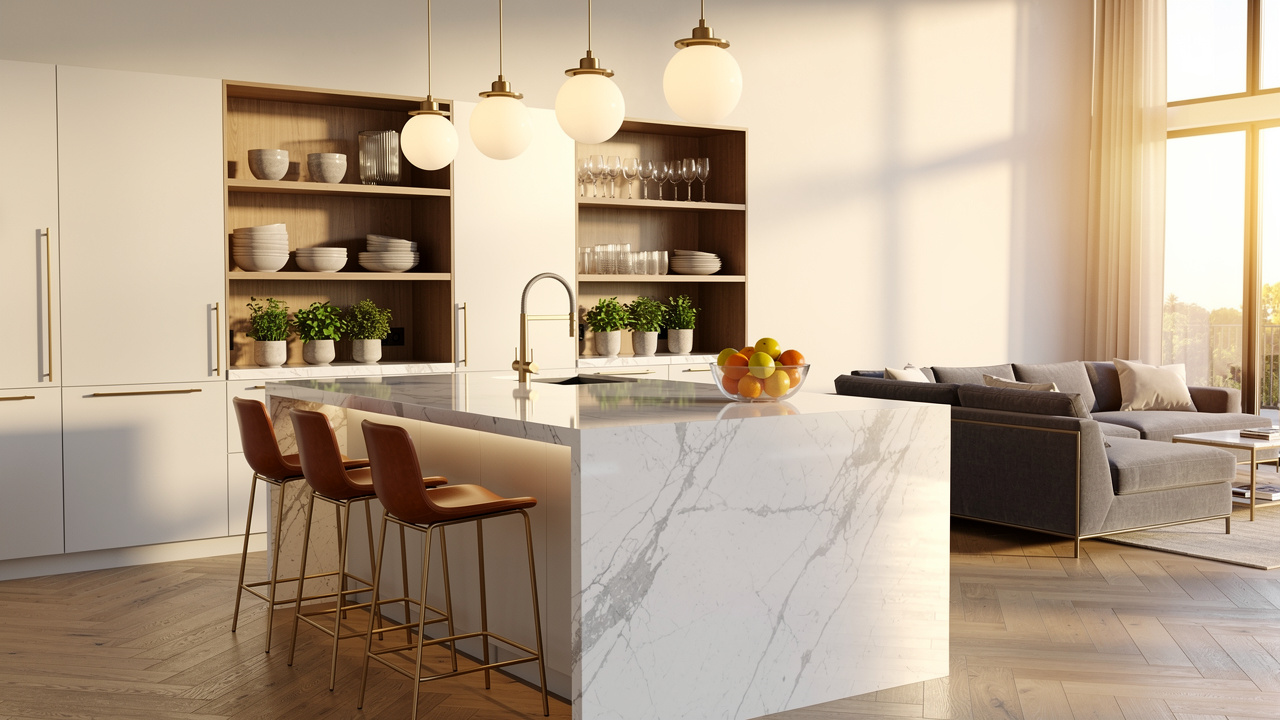
At some point, every pro comparing tools has to pick a starting point. VizCloud is built for people who care most about property visuals, from listing agents and photographers to architects and interior designers. It combines AI staging, photorealistic rendering, and other image tools in one clean interface, and it is easy to try through virtual staging ai free credits.
VizCloud focuses on speed. Instead of waiting hours or days for a designer or external service, users see staged images in minutes. That matters for tight listing deadlines, last‑minute marketing changes, and quick client presentations. For anyone juggling several projects at once, testing virtual staging ai free inside VizCloud often feels like removing a bottleneck.
The platform is also built for people without design software skills. There is no need to learn complex 3D programs or pay a specialist. A clear upload screen, simple style choices, and guided steps keep the process friendly. Even team members who are not tech fans can run a full project after a single pass, especially when they first explore it through a virtual staging ai free trial.
Quality is another key piece. VizCloud uses AI models that produce lifelike lighting, texture, and shadow, so finished images blend naturally with original photos. That helps keep MLS compliance on track and builds trust with buyers during showings. Because the same platform also handles interior views and other rendering tasks, users avoid bouncing between separate tools or vendors while they experiment with virtual staging ai free options.
Pricing stays clear and competitive, which makes planning easier for small and mid‑sized teams. With free credits or trial access, a team can upload real photos, judge the results, and then decide how many images they want to stage each month. Listing agents, rental marketers, photographers, stagers, and property managers can all put VizCloud through its paces under a virtual staging ai free trial and then roll successful workflows out across more listings.
Conclusion
Empty or dated photos quietly hurt listings, slow deals, and keep fees lower than they could be. AI virtual staging breaks that pattern by making polished, furnished images fast, simple, and affordable. With virtual staging ai free trials, professionals can see those gains first hand on a real property before shifting any budget.
The business case is clear. Staged homes sell faster, attract more serious buyers, and often bring stronger offers. Instead of reserving staging for only a few high‑end properties, AI allows every listing or project to show its best side. That shift helps agents, designers, and firms stand out in crowded feeds and presentations.
VizCloud offers a practical way to step into this new approach: one platform, photoreal results, no design background needed, and a smooth path from raw photo to client‑ready image. Starting a virtual staging ai free test with VizCloud today can show how much better the next set of listings can look after just a few minutes of work.
FAQs
Is AI Virtual Staging Really Free To Try?
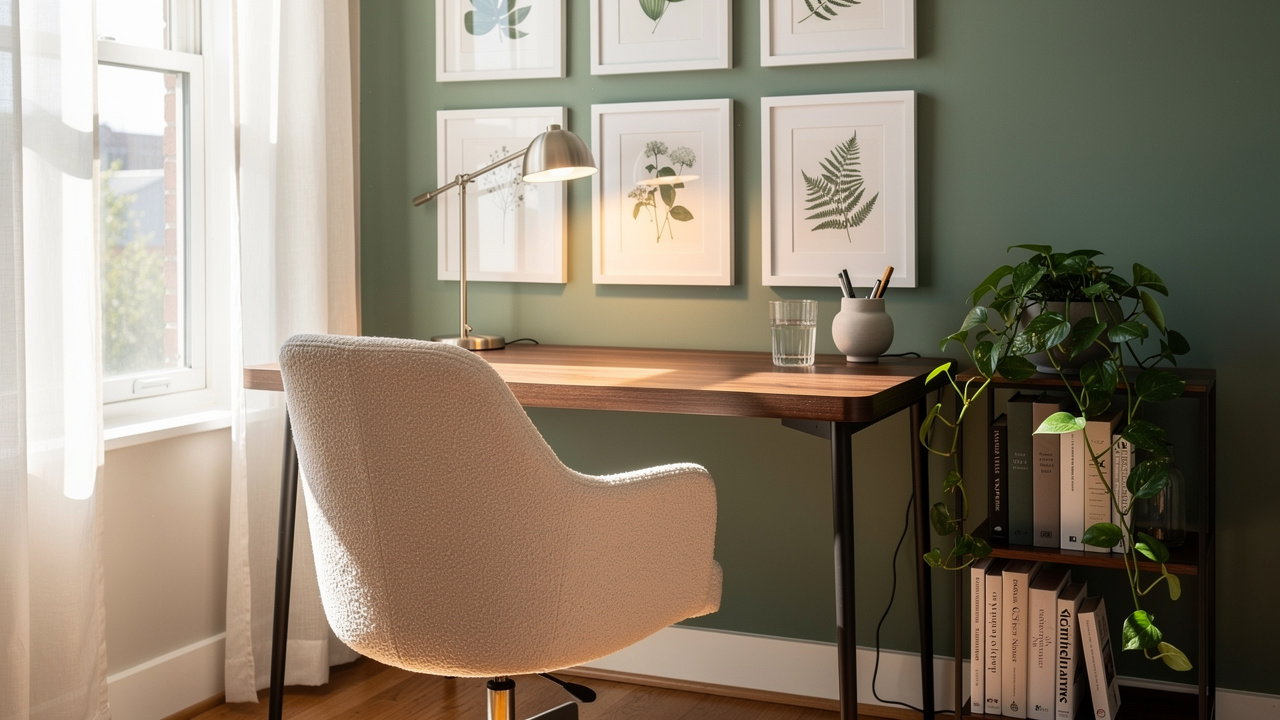
Most major platforms provide some level of access at no charge, and that includes VizCloud. A typical virtual staging ai free offer gives a set number of credits that cover real listing photos, not just samples, often with no credit card required. This helps agents and designers judge quality and speed before adding paid plans to their marketing stack.
How Realistic Are AI Staged Photos And Will Buyers Notice?
Modern AI staging is built to look like a professional photo shoot rather than a quick edit. The system reads light direction, shadows, and reflections, then places furniture that matches those details. Walls, doors, and windows stay exactly as they were shot, which keeps the image honest. When tools such as VizCloud or other virtual staging ai free trials are used well, most buyers simply see a finished room, not a digital trick.
Do I Need Design Or Technical Skills To Use AI Virtual Staging?
No special background is required to get strong results. Platforms like VizCloud are built around a clear upload screen, room type choices, and simple style menus. The heavy lifting happens behind the scenes, so the user just reviews and downloads. This is why many busy pros start with a virtual staging ai free trial and keep using the tool after seeing how easy it is.
How Long Does AI Virtual Staging Take?
Turnaround is one of the biggest advantages of AI over traditional staging. Many images finish in under a minute, with more complex scenes still ready within about fifteen minutes. That timing holds even when working under a virtual staging ai free offer. With such fast processing, an entire set of listing photos can go from empty to staged in a single short session.